> For the complete documentation index, see [llms.txt](https://manual.seara.biz/llms.txt). Markdown versions of documentation pages are available by appending `.md` to page URLs; this page is available as [Markdown](https://manual.seara.biz/systems/third-party-apis/pms-setting.md).
# PMS Setting
ขั้นตอนนี้จะเป็นการตั้งค่า Seara ให้สามารถใช้งานร่วมกับระบบ PMS
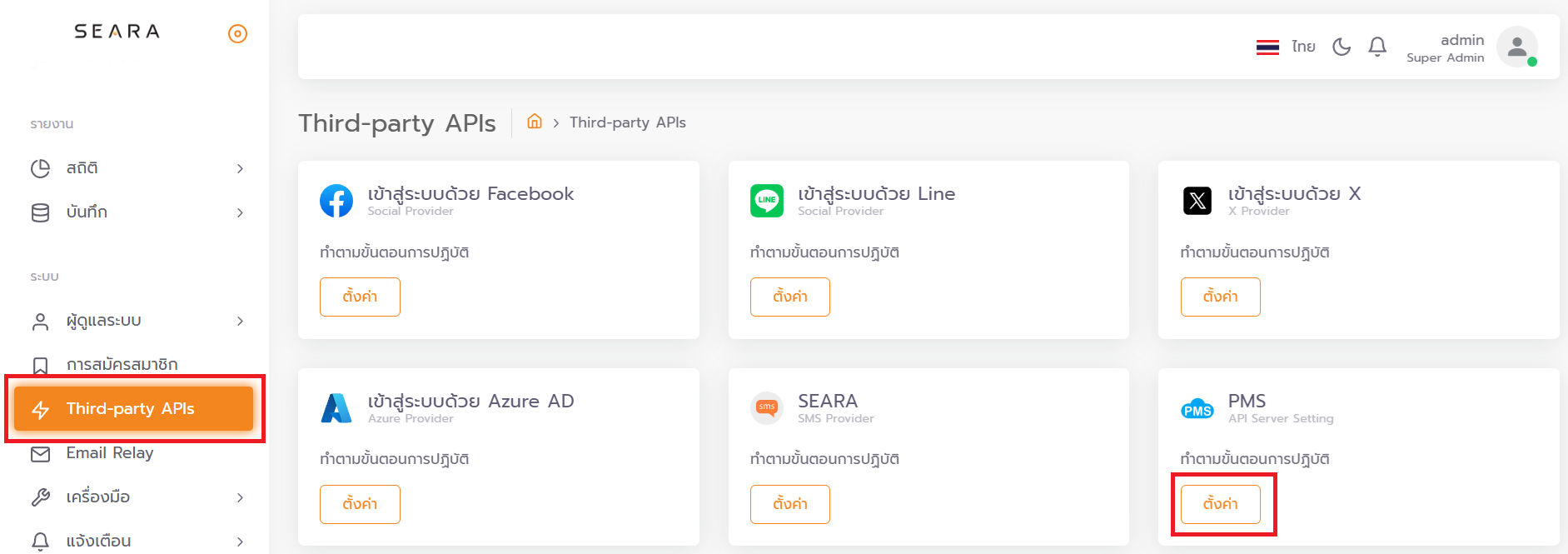
ขั้นตอนแรกไปที่ Third-party APIs จากนั้นกดที่ ตั้งค่า ในหัวข้อ PMS
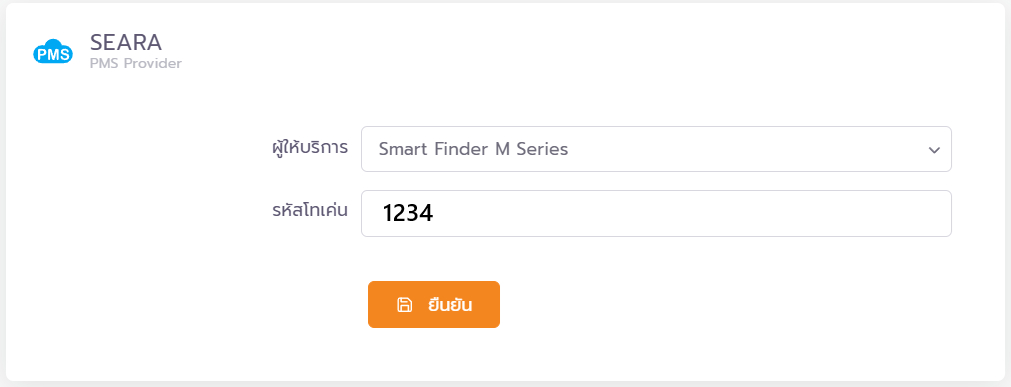
จากนั้นเลือกผู้ให้บริการระบบ PMS และ ตั้งรหัสโทเค่นให้ตรงกันกับระบบ PMS หลังจากนั้นกดยืนยันเพื่อเสร็จสิ้นขั้นตอนการตั้งค่า